
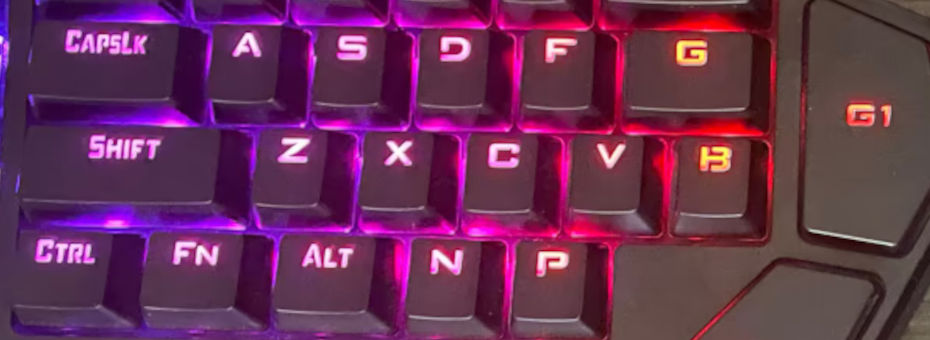
RedDragon K585.
Although our title sounds like a Subway ad gone horribly wrong. It's at least honest about what you are actually getting, then RedDragons "Wired One-Handed Mechanical Gaming Keyboard", because if a person who recently lost their arm or hand was looking for a solution for full keyboard functionality in an ergonomic package for one hand. They would probably get frustrated really quickly seeing these things show up all of the time on Amazon.
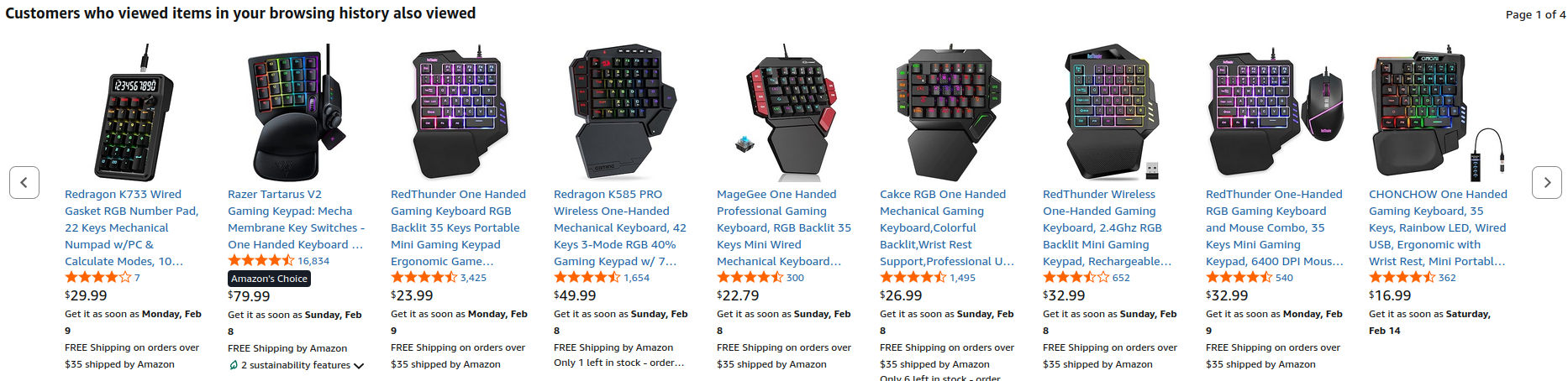
This was just page 1 of 4! But we especially like the first one, which is just 'Fuck it, have a calculator'.
These designs are everywhere. Some of them stupid expensive, like Razer, where they add an analog stick to their keyboard. While the third parties are cheap. We managed to get ours from a computer closeout store for about five dollars. Now, for those looking for their own $5 deal. Sometimes, there are batches of these things released on eBay for a very low amount. So do not be discouraged. Nevertheless, after powering it up and testing, it appears to be totally functional. So sadly, no repair guide for this blog! But since we have it lets review this thing!
Continue onward into the diatribe if you dare.
The hell are these one-handed gaming keyboards?
This is not a new concept at all. The first time we started seeing these boards pop up was around Y2K (i.e. the year 2000 onward) when Ideazon decided the standard keyboard layout was boring as fuck and they wanted to change the shape and the way the gaming community played.
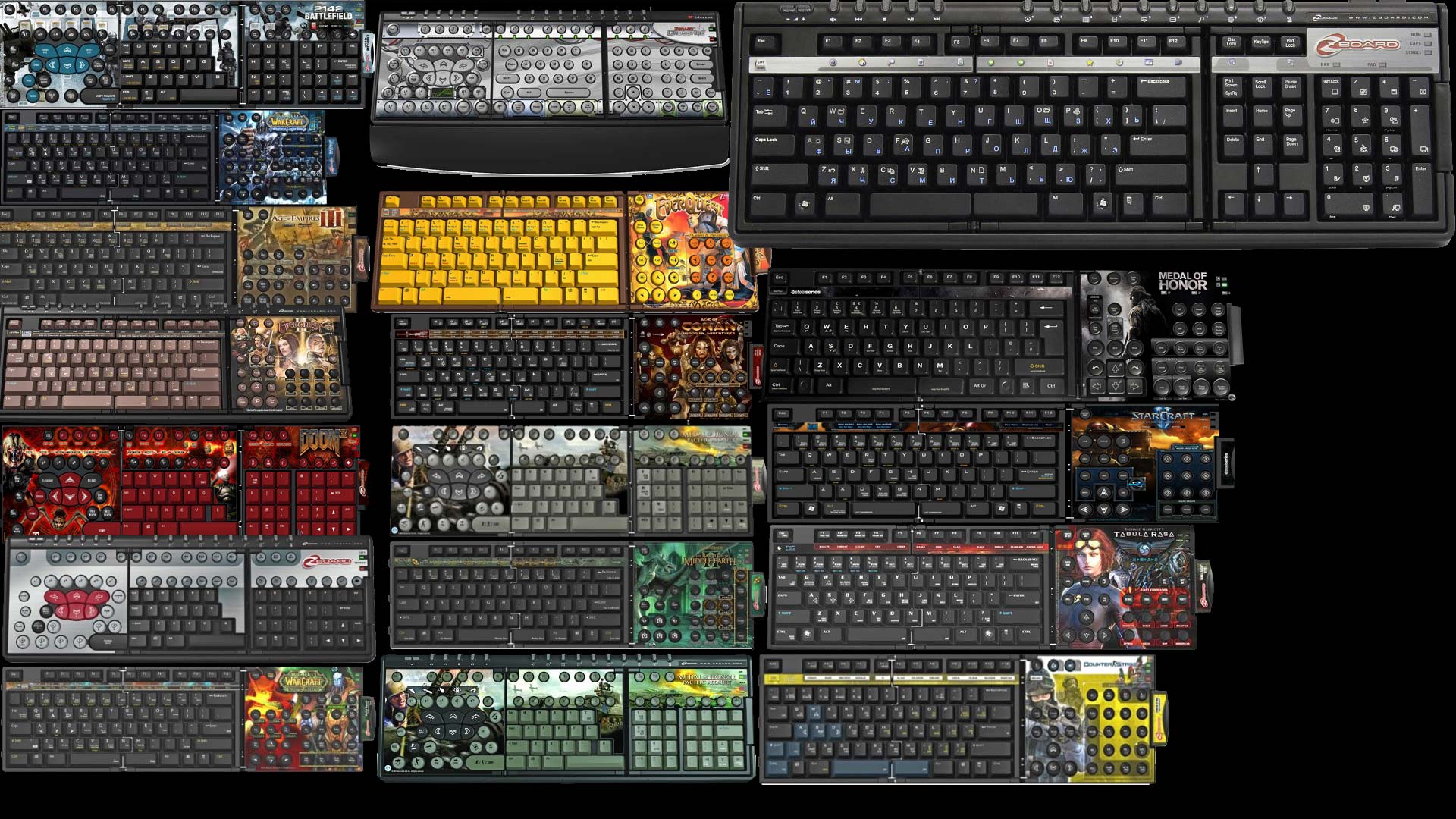
It was certainly an interesting idea, but the problem with some of the layouts is that they partially crippled the keyboard in the process. eventually, everyone just put the stock keys on and played it until either the membranes wore out or the key caps got destroyed. Which, for Ideazon, was nearly impossible to find due to some of the customization of the space bar.
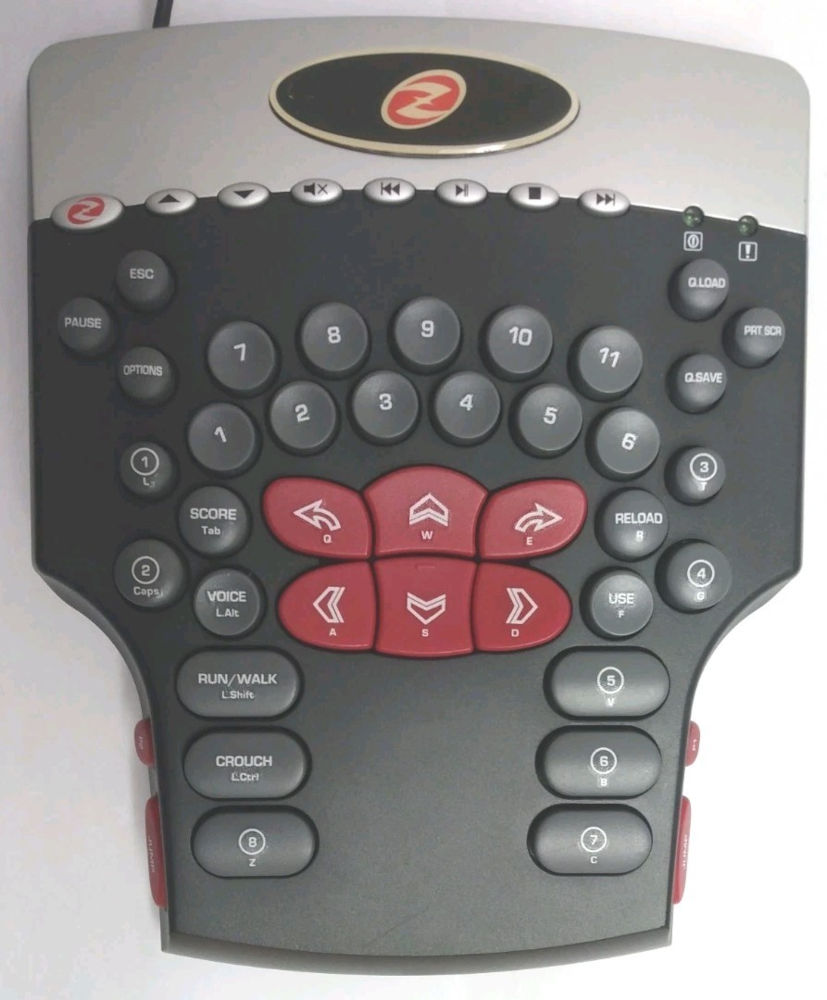
Eventually, Ideazon realized that maybe people just liked their keyboards and thus sold their FPS as a one-handed keyboard solution. Now, unlike the majority of keyboards that are out on Amazon. This does address a crazy important issue that is happening, which is:
What if you were left handed? -S
At one point in our lives, we broke our left hand due to too much masturbation, what? No one alternates?, er, a skateboarding accident. Which is interesting because gaming was rough at first using J,K,I.L instead of A,S,W,D. We eventually moved over to the numberpad as if we were still playing Unreal One on Windows 98. Moving the mouse pad to the other side? No problem there!
But try doing that with the RedDragon K585 and you just can't! No spacebar key for starters.
RedDragon K585 use case.
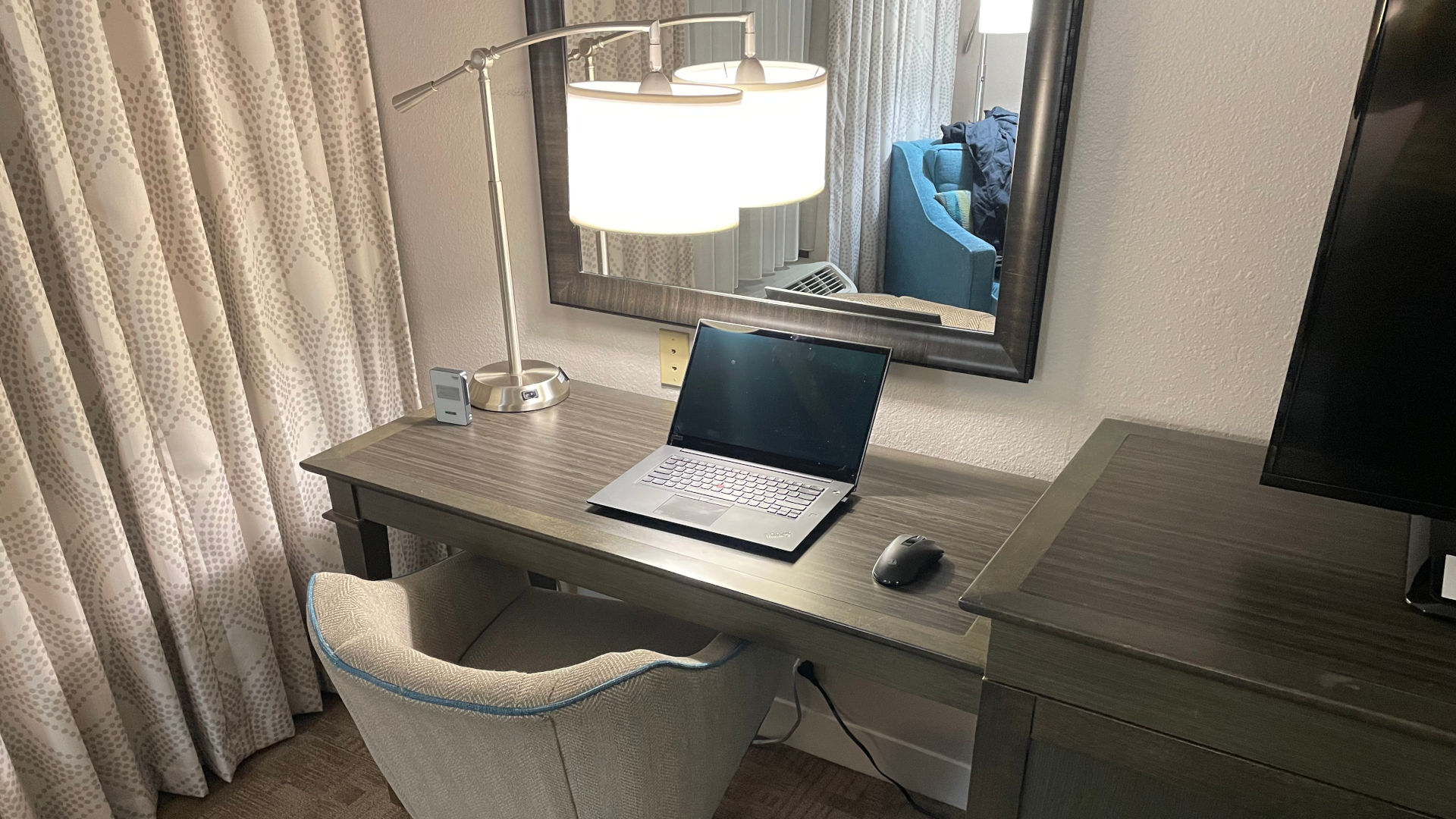
Despite its hatred for left-handed people. We think it's appropriate to present a possible use case scenario as to why a person would even buy one of these things. To illustrate this, we are so happy to be existing out of a Hampton Inn in the middle-of-nowhere Midwest. So, here we are with our wireless RedDragon M652 mouse and our Lenovo Thinkpad Gen3. Which, as you could see, takes up a lot of space on this desk.
We could load up Steam and start gaming on this laptop if we wanted. Geforce 1660 loaded into this bad boy, which means we will probably not be playing Cyberpunk 2077, but we'll have an okay time with some more Indy titles out there.
Here it is on hotel wood!
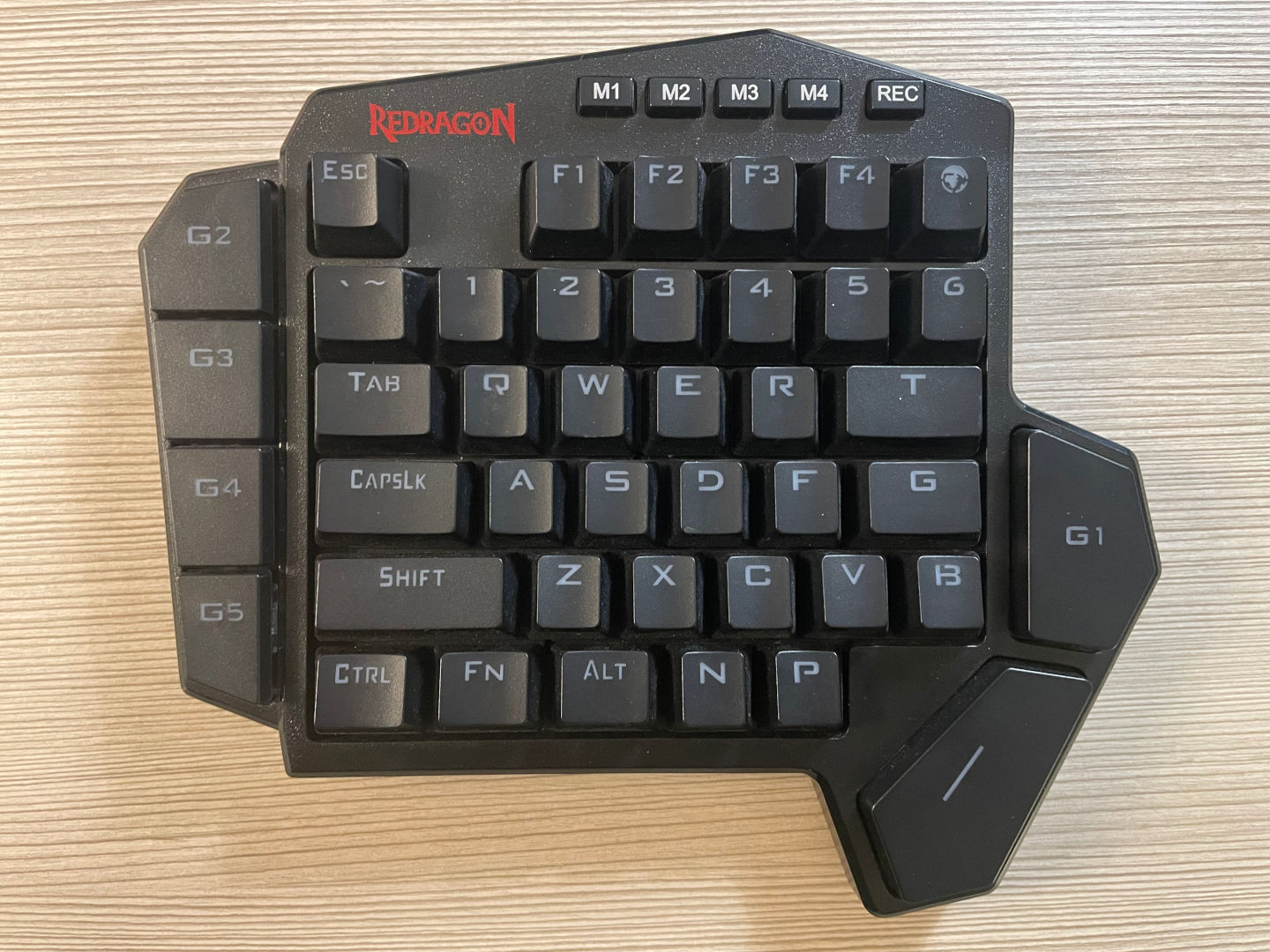
Because it was small enough to slide into one of the pockets of my laptop bag. Portability was reasonable given that it is a mechanical keyboard. But here it is! up close and personal. Now, we're sure that if we had one of those laptops with Microsoft Windows on it, then perhaps programming all of their "G#" keys would be a breeze. But we don't, and to us it's a waste of space. The macro or "M1, through M4" keys do change the lighting from the default, which is okay.
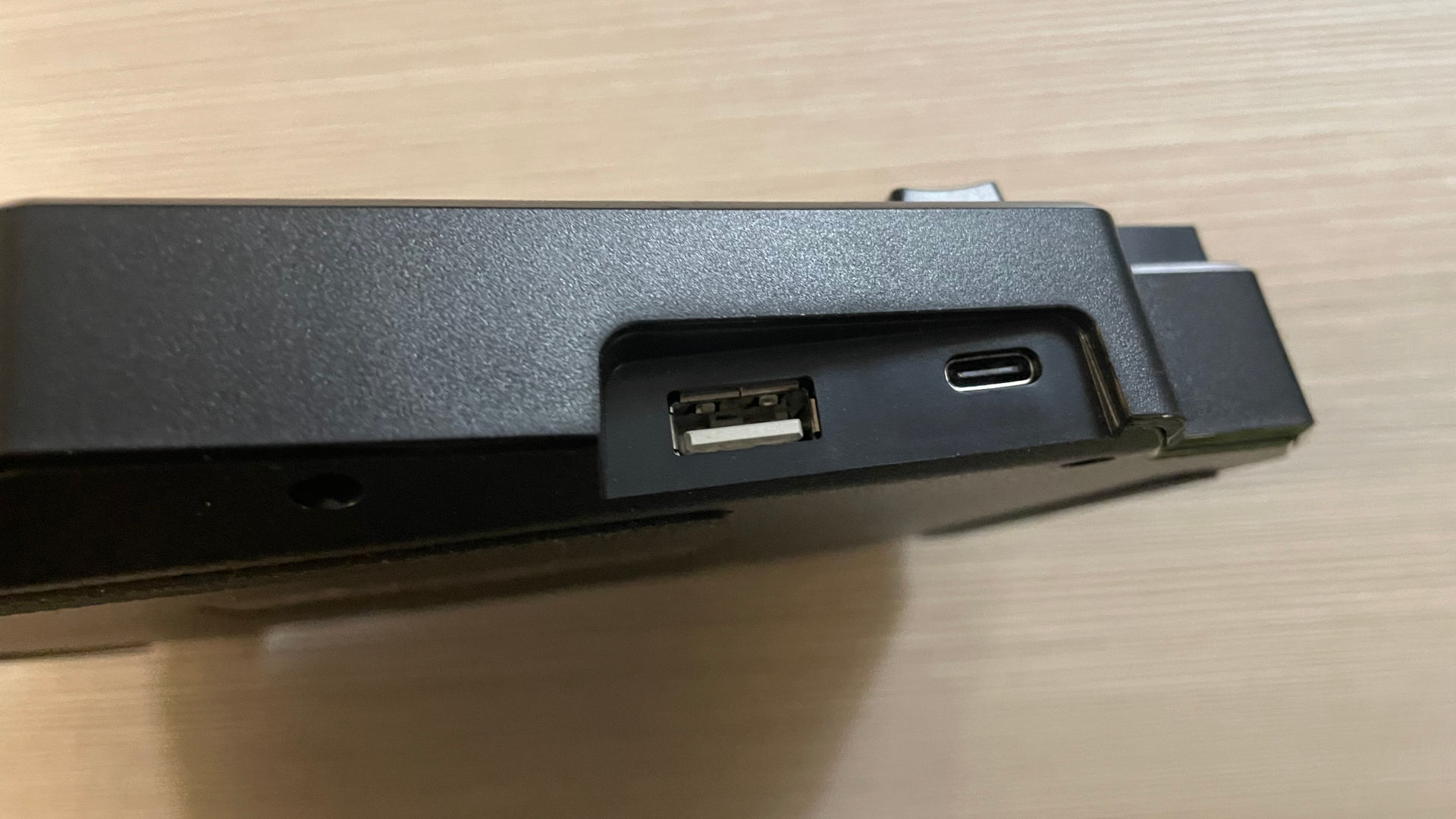
Just to show you all that we're not being cruel by picking on technology from years ago. The K585 at the time of this posting is still being sold on Amazon for around $32(USD) and supports a USB-C port, which is at least an improvement over the third-party Xbox One controllers rocking USB-Micro B ports.
It does have a USB-A port, which is at least thoughtful of them,m considering many laptops don't have jack shit for connectivity. Usually, when we use this board, we hook our 2.4Ghz mouse receiver into that port.
RedDragon also has a wireless version available to increase the level of Niche gaming we're dealing with here.
Wrist support
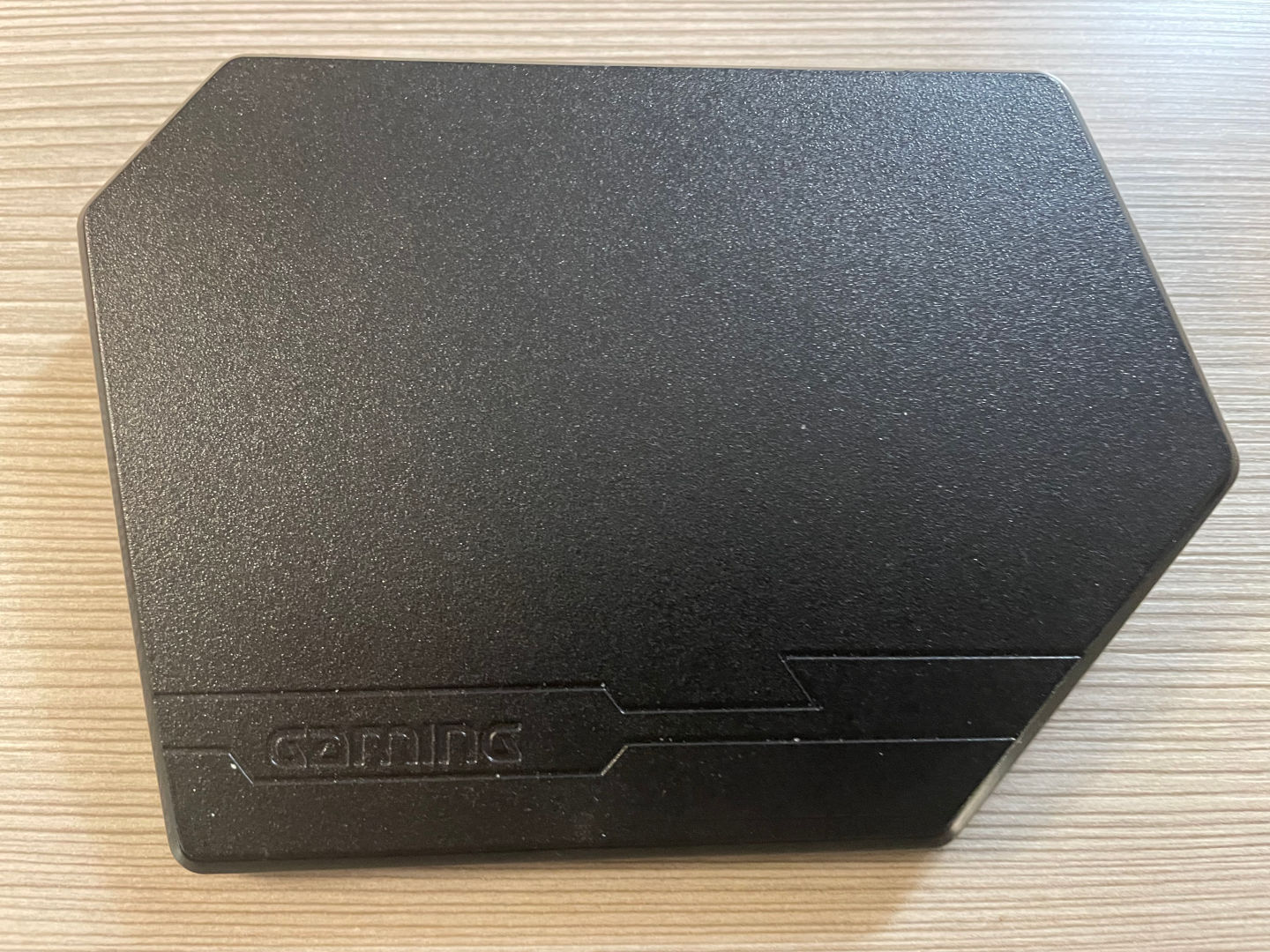
Not a fan of their wrist support system as it's just a hollow piece of plastic with some tiny magnets that hold it in place. In fact, it does not even sit flush on the desk, as it clicks every time you place your wrists on it. We guess RedDragon ran out of words to say about their product and threw in the word "Gaming" in case you were high on DMT, wigging out because your keyboard doesn't look right. They could've put other words down there, too! Like RedDragon... We would also suggest "Porno" or "Butt-stuff," but feel that might be a little too on the nose for a product like this.
We guess what bothers us the most about this is that it's a piece of plastic, which is that it has wasted potential. Perhaps you could have a compartment underneath to hold the following:
- Your USB-C cable
- Weed.
- Cranberry Flavored KY Jelly
- Metal Weights (To give this fucker some legit weight, actually stay flush with the table.)
Dem switches.
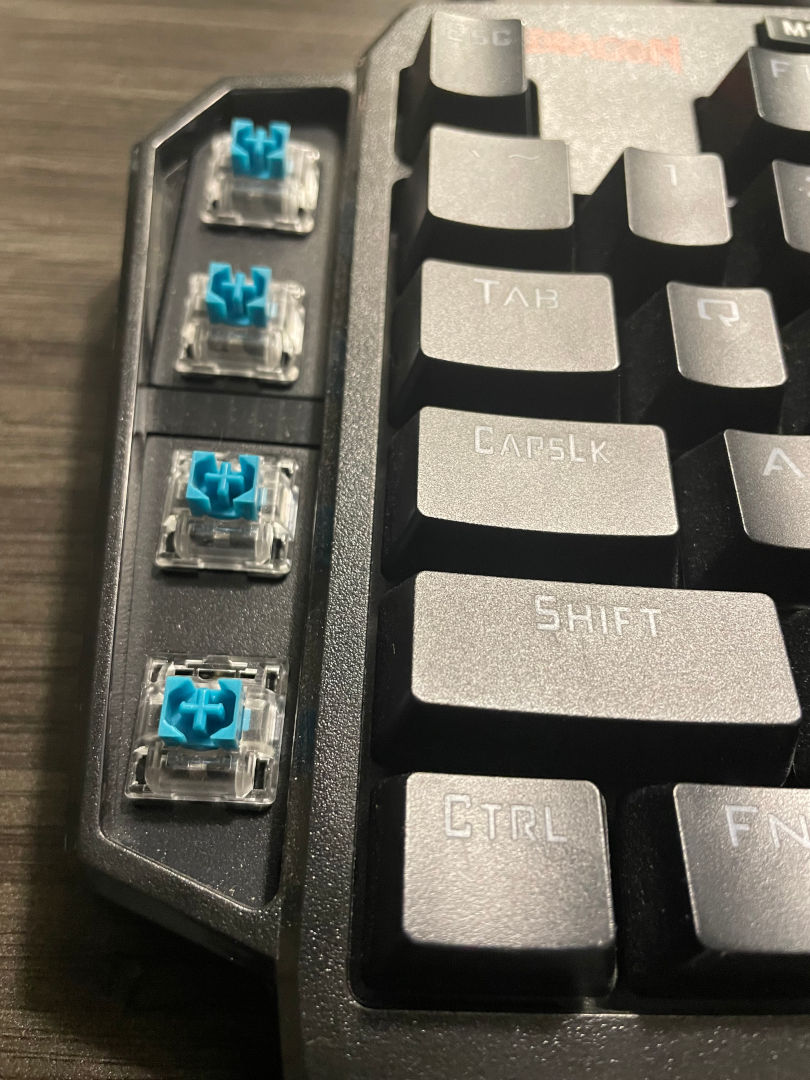
Ours came with the RedDragon Blue switches, which are similar to the Cherry clicky types. Apparently, you can also purchase these with Reds as well. On top of this, just like our review and repair of the K556 keyboard. All of the switches can be ejected and swapped out, which is reasonable for repairing this thing. This keyboard is safe for hotel rooms. But will probably annoy the fuck out of someone at the airport.
Ergonomics and play.
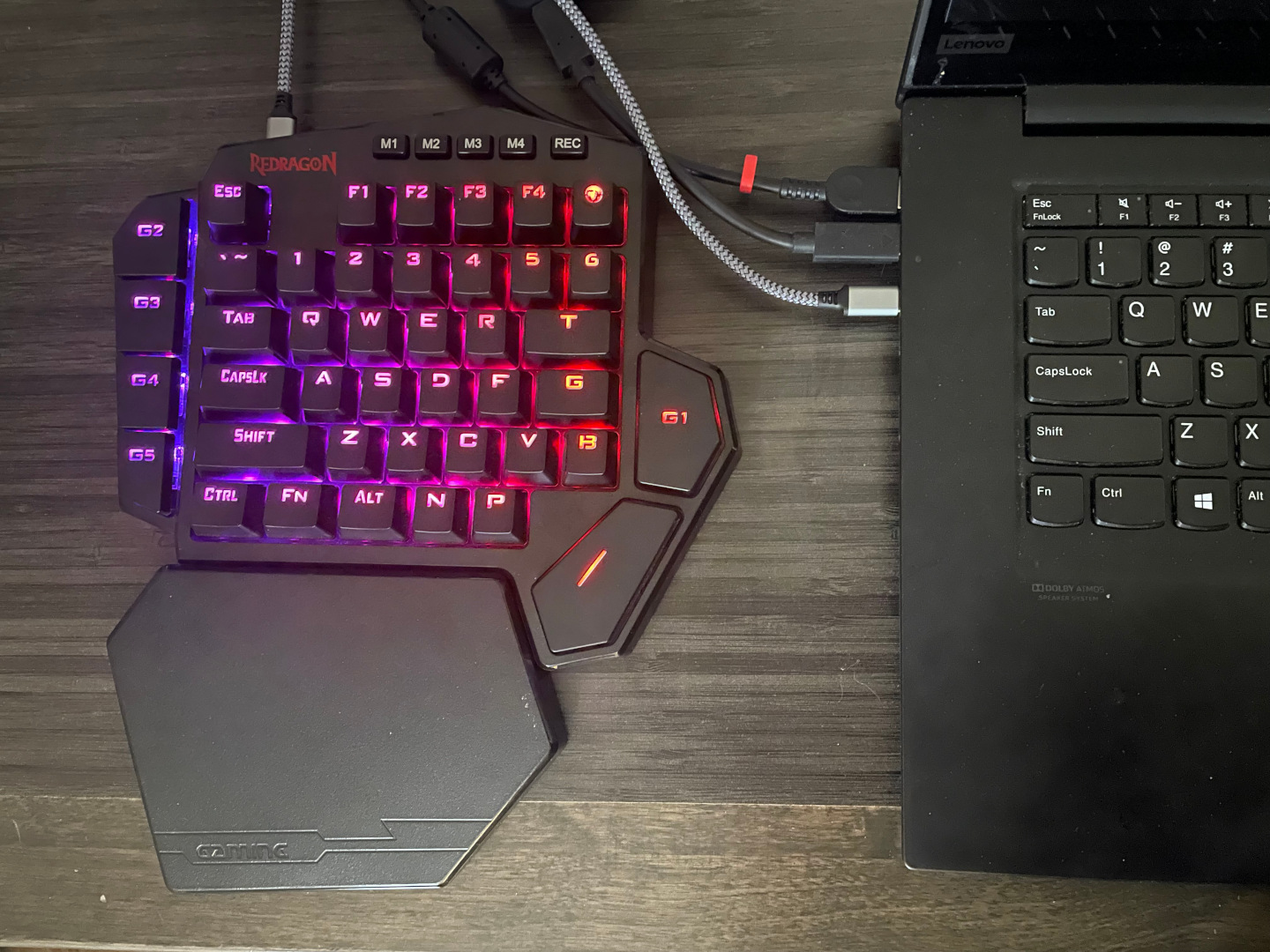
Okay! got the thing plugged in. Now, getting back to the use case.
Why have a K585? -S
Say you're the kind of party animal that REALLY gets into their game. To the level where your hands are violently destructive on everything you touch, because that's just how involved you are. Well, if you have a laptop that has a proprietary keyboard and you just don't feel like replacing it. Then perhaps an external board like this for gaming is excellent. That way, your FPS fingers or death can fuck up something that is replaceable versus something that would take a bit of time to take apart to replace.
Now if only the hotel connection was not absolute shit, providing 6 Mbps for -upgraded- high speed internet, proving why things like the Stadia are dead products. We would be ready to game! But it's okay, we still have some single-player games to try out on this laptop.
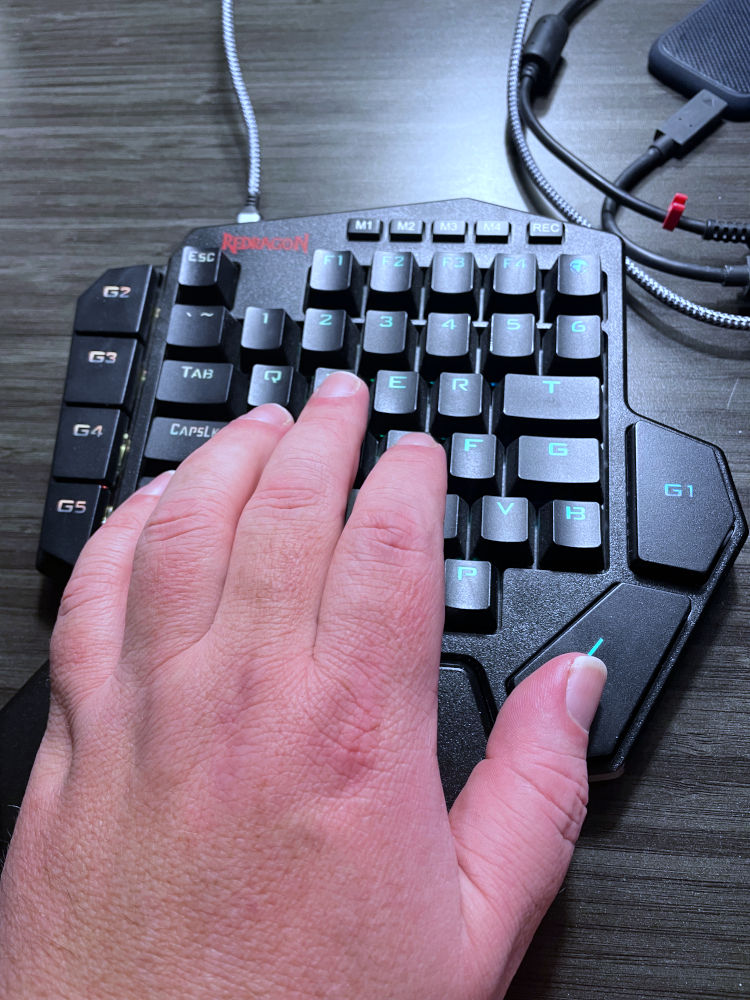 This is me pretending to be some kind of hand model. Seriously needing to put the lotion on the skin.
After playing some FPS games within Ubuntu, such as some Xonotic, some OpenArena Omega, and eventually, jumping over to Steam for some Gunfire Reborn, which is just FPS based grindfest with furries. We'd say for $5 for this supposed one-handed keyboard. It certainly does the job in taking the abuse away from your laptop keyboard and onto the pad while your other hand aims with that mouse. Some was getting used to as, despite having rather large hands, it felt like my thumb had to reach for that jump button a lot harder than we should have. That the button could've been right next to the "P" key, and chances are it would've felt considerably better.
We're going to blame this feeling on reaching for keys as perhaps more of a mental issue. That we're in a hotel working on a laptop and suddenly we're trying to play a game using full-sized keys. The overall awkwardness was present for probably 5 minutes of gameplay until you realize you're probably doing better in these FPS games than you normally would using a tiny-assed laptop keyboard.
Update 02/09/2026
Heard a little from my Counter-Strike friends on this one. Apparently, my positioning is all wrong! I'm supposed to tilt this pad 45 degrees so that my wrist is more naturally aligned as we play. Fair ball, we'll give it a try again!
Price differential.
To us, $5 is a hell of a deal, and it's worth my time to play around with this thing. Not our first time getting really good deals on hardware, as we had a $2 mechanical keyboard also from RedDragon.
If you asked us how much one legit pays for this keyboard? $15 seems appropriate and a little more in line with prices on Aliexpress AFTER the welcome deals disappear. Which we know hardly pays for the manufacturing process of mechanical keyboard design versus the old Ideazon days, where they just sold you plastic, membrane, and plastic conductive sheeting for the keyboard matrix. However, if we paid the list price from Amazon, which is anywhere from $32-36 dollars. We would also be suffering from buyer's remorse, trying to find anything to use it on, including remapping of the keys to use it on an Arduino deck.
Despite how many of these things are out there, we really don't see gamers use these a whole lot. This is because (at least in the desktop scene).
Why spend $32 on K585 which is half a keyboard when you can spend $50 on a full K556 keyboard from RedDragon? - S
Even if you do ruin the keys, that's okay! At least RedDragon uses a standard keycap replacement systemfor the K556 are only $10-15USD.If we ruin the "G" or "M' keys on this K585 one-handed keyboard, we're kind of screwed now, aren't we?
Final thoughts.
Again, these types of keyboards have existed since the early 2000's (Y2K) of gaming, and yet they've never really caught on. Perhaps there is a large enough audience of gamers that quietly use these keyboards for these gaming companies to point and go
See?!?! people are buying them! - Hardware manufacturer
Or perhaps this is more of a wag-the-dog scenario. Like Logitech, when a store orders so many palettes of product, that is the point where they consider the product sold. Now, if those palettes ever make it to the front of a brick-and-mortar store where people buy them, or if it gets auctioned off for $100(USD) is completely irrelevant. The concept of 'keyboard saving' devices is slowly turning into a mute issue. Like us, repairing Glorious Keyboards, which are $150USD units (from Best Buy), and only spending at the very most $30 for a brand new keysets which is an item that is considered user-replaceable. What's the real point of the one-handed K585 keyboard?
SO I SAWED MY KEYBOARD IN HALF (Flex Seal Guy)!
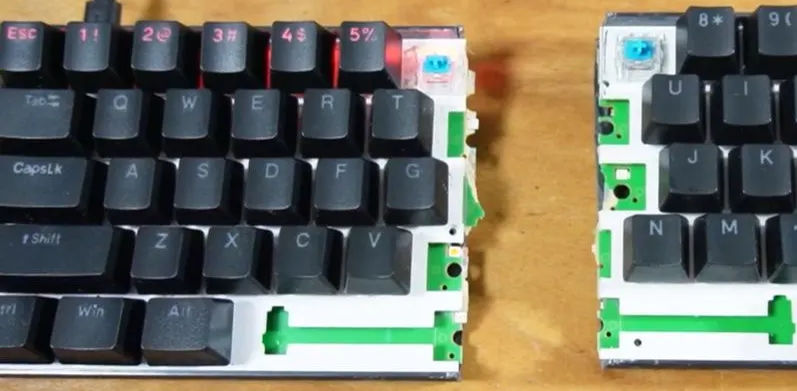 Article from Hack-A-Day (Clearnet). We totally did now saw a keyboard in half here!
Perhaps portability and saving space? The compromise is the "Split Keyboard," where you get a complete keyboard or at least as much of a complete keyboard as you care about, broken down into smaller cases/packages that could be interlinked back together thanks to the wonders of USB. In that sense, it's more portable while at the same time not losing the aesthetic or feel of a full-sized keyboard.
Thank you.
For those who made it to the end of our diatribes. Thank you. I understand we're starting to feel like a tech blog that is running on nothing for income. But that's okay in a sense. It keeps things honest. Suppose we were to talk directly to RedDragon. We would probably say something like this.
Just make an FPS keyboard. for either hand. If you want to attack something super niche. Or show us a really nice split keyboard.
Anyhow, thank you to everyone who visited this blog and article. Until next time.
May server protect you.
+++END OF LINE